Automatic CAM for Mac, Windows and Linux
Easy powerful CAM software for makers, DIY, workshops, and everyone else
CAM as simple as using a 3D-printer slicer.
No account • No login • No cloud • macOS, Windows and Linux
Latest version 0.2.8 published Sept 13, 2026
You’ve got a CNC… Now what?
CNCs are fantastic but can also be (we believe) needlessly complicated. If you have a CNC, you know that when it comes to actually cutting your design, CAMing the part can be a full-time job.
OttoCAM makes CAM feel more like slicing a 3D print. It means you can go from a 3D model to a ready-to-cut toolpath without selecting, building, and second-guessing every operation.
From STEP file to G-code, without the CAM maze
A clear three-step workflow keeps you moving from the model to the machine.
-
Load the STEP file into OttoCAM
OttoCAM recognizes the part’s features, chooses the operations, and builds the job automatically.
-
Customize feeds, speeds, and machine settings
It’s automatic, but you still have full control.
-
Catch problems before cutting
A rigorous automated review process checks the toolpaths for machine crashes, tool gouges, invalid G-code, and errors before exporting.
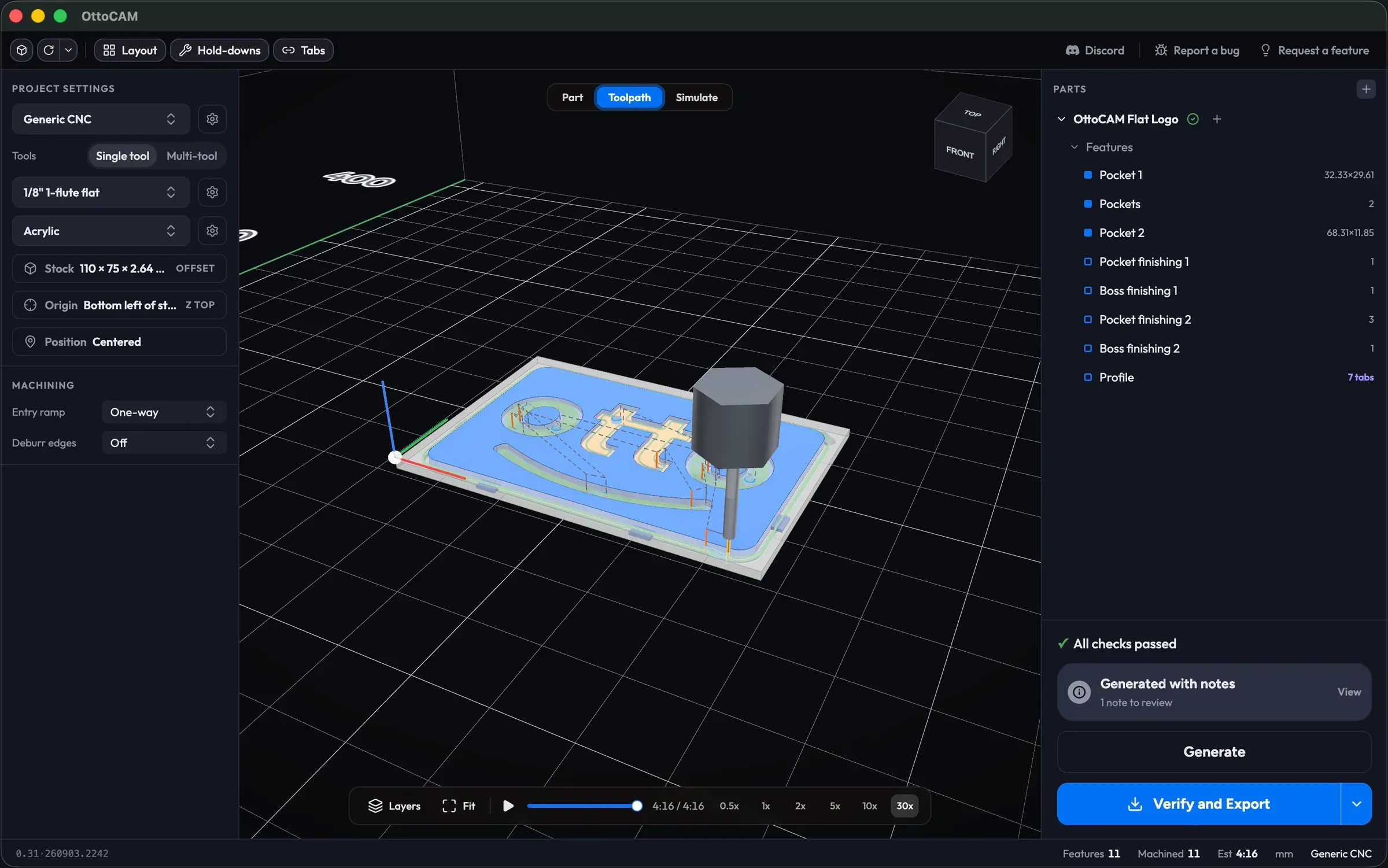
CAM, automated
Whether you are making parts for FRC or FIRST robotics, building workshop designs, making signs, or plates for fixtures, OttoCAM makes it all automatic.
Automatic feature recognition and toolpaths
OttoCAM identifies machinable features, chooses the operations, creates the toolpaths, and validates the result. You do not have to select each strategy or guess your way through the setup.
Profiles, pockets, holes, and finishing details
- Prepare stock. Face or surface raw material before machining the part.
- Cut profiles. Create outside profile cuts with optional holding tabs.
- Clear pockets. Machine slots, stepped pockets, islands, and other boundary shapes with concentric clearing (adaptive clearing coming soon).
- Make holes. Use peck drilling or helical boring, including counterbores and countersunk openings.
- Finish edges. Add V-bit chamfers where the part calls for them.
Multi-tool jobs without duplicated work
Assign tools by operation, switch cutters within the same job, and use automatic rest machining to remove material the previous tool could not reach.
Reusable tools, materials, and machine setup
Save the cutters and materials you use most. Their feeds and speeds carry into future jobs, while machine profiles, macros, and post options keep output aligned with your setup.
Layout and workholding built into the job
Arrange parts with grid or sheet nesting, use shared-line tool spacing, and add workholding holes manually, automatically, or snapped to your machine-bed grid. Multi-solid STEP files are supported, too.
Made for small workshops
We made OttoCAM for DIY builders, hobbyists, woodworkers, product designers, and small-shop makers who want reliable toolpaths without turning CAM into a second profession.
Frequently asked questions
What is CAM software?
Computer-aided manufacturing (CAM) software turns a digital part model into toolpaths and machine instructions. Your CAD software defines the part; CAM decides how the cutter will make it.
Does OttoCAM support STEP files?
Yes. When it comes to CAD designs, STEP files preserve the geometry and features perfectly. Many CAM apps only support STLs.
Is OttoCAM good for beginners?
That is who it is built for. The goal of OttoCAM is to make using a CNC as easy as using a 3D printer. Like a 3D printer slicer, the toolpaths are generated automatically, but you can still have full control of advanced settings.
Does OttoCAM work on Mac, Windows and Linux?
Yep. OttoCAM works the same on Mac, Windows and Linux.
Is OttoCAM free?
OttoCAM is free while it is in beta. There is no subscription, no account requirement, and no artificial usage limit.
What’s coming next
OttoCAM is expanding today’s automated CAM workflow.
In development- Adaptive clearing
- 3D contouring
- Dedicated narrow-slot clearing
- More file and artwork workflows: SVGs, STLs, and more
- V-carving
- Fully manual mode
Open the part. Let OttoCAM build the toolpaths. Make the thing.
Fast, local CAM for Mac, Windows and Linux — with no account, no login, and no cloud workflow.
Download the free betaFree while in beta • No artificial limits • No subscription